
AI PROMPT ·
低多边形角色动画工作流
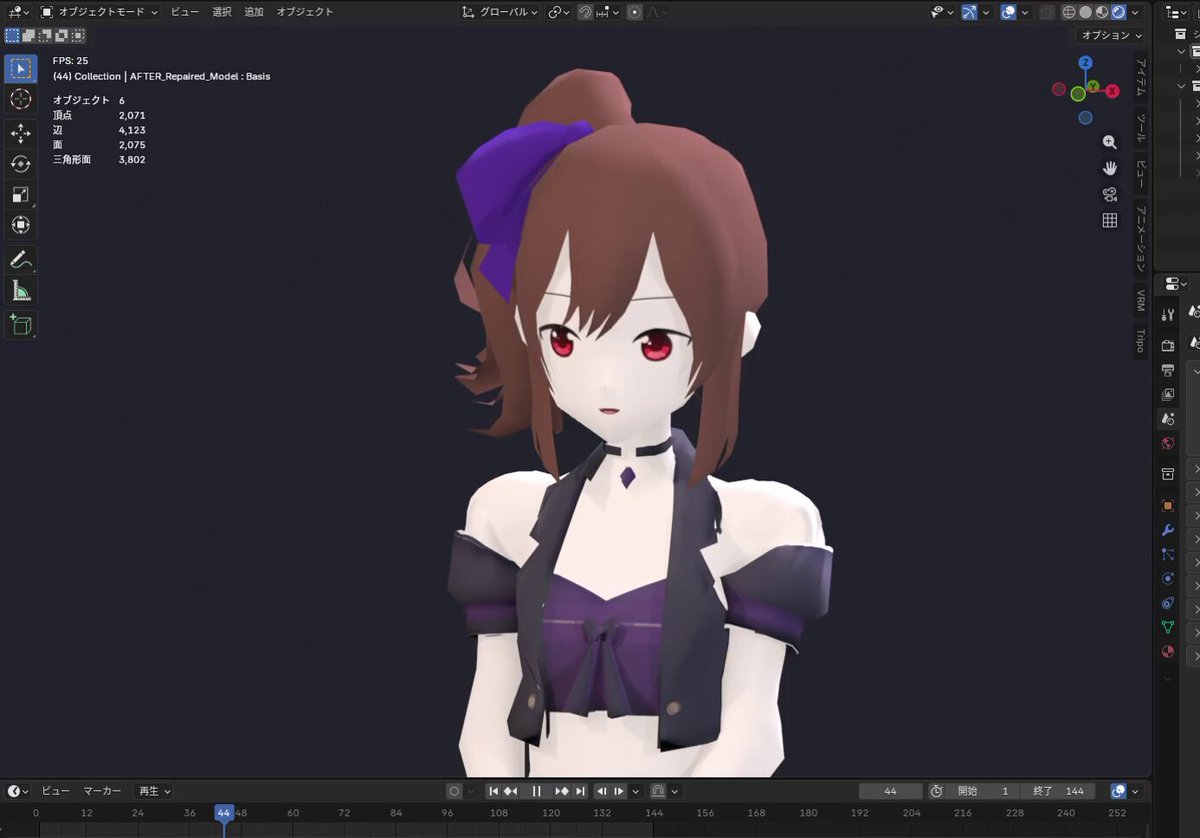
创建一个使用 GPT-6 Astra 和 Blender 为低多边形角色添加眨眼和口型同步功能的工作流。 步骤: 1. 使用 Tripo Smart Mesh P2.0 生成模型(多视图,方形 1500 设置)。 2. 导入 Blender,并让 Astra 处理网格修复、纹理校正、绑定和权重绘制。 3. 使用纹理图集方法实现眨眼和口型同步。 4. 使用 Images 2.5 创建对话姿势的参考图像,并在 Blender 中相应调整姿势。 5. 将眨眼、口型同步和细微的头部动作组合成一个 6 秒的循环动画。 细节: - 眼睛:睁开、半闭、闭合状态。 - 嘴巴:闭合、微张、大张状态。 - 技术:在图像图集中切换 UV 坐标,而不是变形网格。 - 风格:让人联想到 N64 时代游戏的简单表情。
PROMPT
Create a workflow to add blinking and lip-syncing to a low-poly character using GPT-6 Astra and Blender. Steps:
1. Generate a model using Tripo Smart Mesh P2.0 (multiview, square 1500 setting).
2. Import into Blender and ask Astra to handle mesh repair, texture correction, rigging, and weight painting.
3. Implement blinking and lip-syncing using a texture atlas method.
4. Use Images 2.5 to create reference images for conversation poses and adjust poses in Blender accordingly.
5. Combine blinking, lip-syncing, and subtle head movements into a 6-second loop animation. Details:
- Eyes: Open, Half-closed, Closed states.
- Mouth: Closed, Slightly open, Wide open states.
- Technique: Switch UV coordinates within the image atlas instead of deforming meshes.
- Style: Simple expression reminiscent of N64-era games.