
AI PROMPT ·
日式鸟居神社 3D 电影感工作流
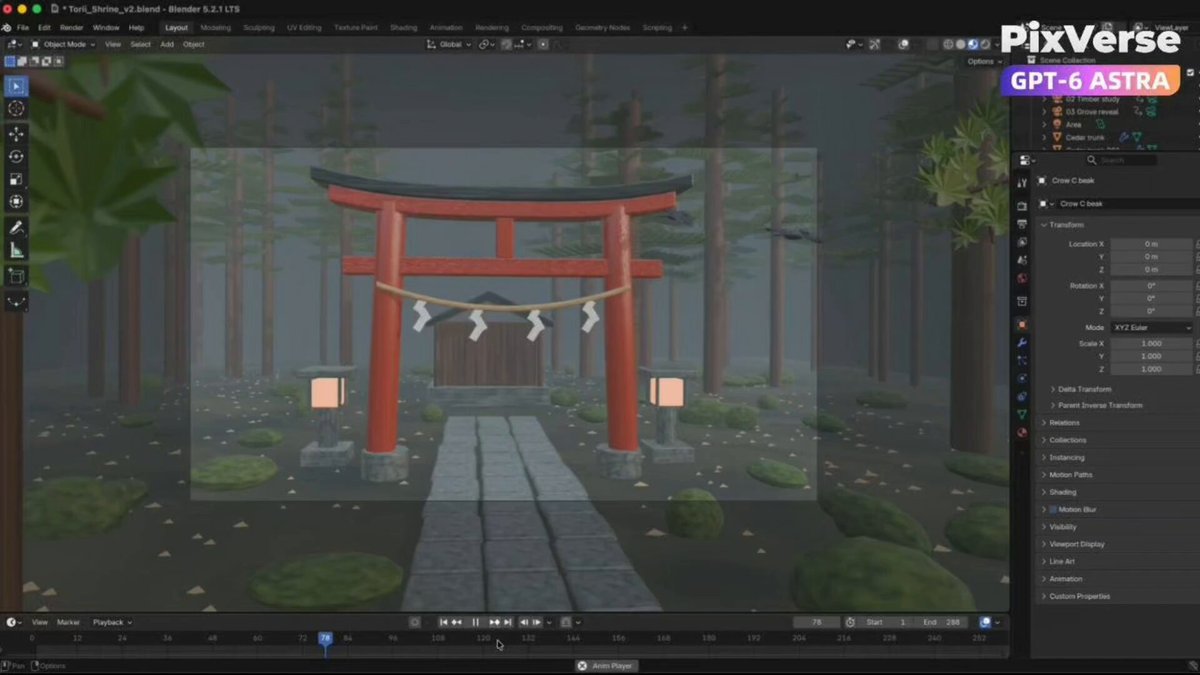
使用 PixVerse 和 Blender 创建一个原创的 {argument name="scene subject" default="日式鸟居神社场景"}。请完成以下步骤:创建概念:使用 PixVerse 生成一张照片级真实的参考图。锁定鸟居的设计、材质、光照和环境以确保一致性。构建 3D 场景:在 Blender 中创建一个可编辑的带纹理模型。清理拓扑结构,展开 UV,并添加合适的动画控制器。添加动态:加入前景叶片以部分遮挡广角镜头,设置轻微晃动的植被,以及清晰可见的飞鸟。动画摄像机:创建一个 {argument name="duration" default="12 秒"} 的序列,包含三个镜头:弧形推进镜头、侧向细节镜头和上升拉远镜头。保持运动平滑,构图清晰。在 Blender 中渲染:导出一段原生摄像机视频,以及一段使用相同动画的独立中性灰模参考视频。将它们保存在 Blender 项目旁边。生成照片级影片:使用 PixVerse Seedance,将灰模视频作为摄像机和动作参考,并将未改动的照片级图像作为外观参考。生成一段 {argument name="resolution" default="1080p, 16:9"} 的视频,仅包含自然环境音——风声、沙沙的树叶声和鸟儿拍打翅膀的声音。不要添加音乐或人声。检查并交付:检查每一个镜头,确保设计一致、纹理逼真、飞鸟可见、运动平滑且音频正确。在批准的预算内修复问题,并记录剩余的局限性。将可编辑的 Blender 项目、视频、参考图像和简短的制作评估保存在同一个文件夹中。关键点:切勿使用带颜色的低多边形视频作为 Seedance 的参考。检查整部影片,特别是最后的广角镜头。
PROMPT
Create an original Japanese torii shrine scene using PixVerse and Blender. Complete these steps: Create the concept: Use PixVerse to generate a photoreal reference image. Lock the torii design, materials, lighting, and environment for consistency. Build the 3D scene: Create an editable textured model in Blender. Clean the topology, unwrap the UVs, and add suitable animation controls. Add movement: Include foreground leaves that partially obscure the wide shots, gently moving foliage, and birds flying visibly across the scene. Animate the cameras: Create a 12-second sequence with three shots: an arcing approach, a lateral detail shot, and a rising pullback. Keep movement smooth and framing clear. Render in Blender: Export a native camera video and a separate neutral gray clay reference video using the same animation. Save them beside the Blender project. Generate the photoreal film: Use PixVerse Seedance with the gray video for camera and action reference and the unchanged photoreal image for appearance. Generate a 1080p, 16:9 video with only natural environmental sounds—wind, rustling leaves, and bird wings. No music or voices. Check and deliver: Review every shot for consistent design, photoreal textures, visible birds, smooth motion, and correct audio. Fix issues within the approved budget and document remaining limitations. Save the editable Blender project, videos, reference image, and a brief production assessment in the same folder. Key points: Never use the colored low-poly video as the Seedance reference. Check the entire film, especially the final wide shot.